ActiveX controls
What are ActiveX controls?
ActiveX controls are component program objects that Microsoft developed to enable applications to perform specific functions, such as displaying a calendar or playing a video. An ActiveX control is a small program that other applications can reuse to enable the same functionality, without the extra development work.
These controls typically have been implemented as plugins to enhance various types of Internet Explorer (IE) web applications. For example, a manufacturing firm might build a web application to track product inventory and provide managers with updated details about the inventory. To support this functionality, the application could include an ActiveX control that gives users reports on inventory levels and trends. When the users first visit the webpage through IE, they're prompted to install the ActiveX control, which the application then uses to deliver the reports.
How do ActiveX controls work?
Microsoft has said it will retire Internet Explorer in June 2022 and move to the Microsoft Edge web browser. Edge does not support ActiveX controls, but it does include IE mode, which enables users to access legacy IE applications through Edge. With IE mode, applications can continue to use ActiveX controls, as long as a user's system is configured to permit their use.

In addition to web applications, other types of Windows applications -- such as Microsoft Word and Excel -- can use ActiveX controls. For instance, a developer might add an ActiveX control to a Word document that lets users fill out a form in the document. By using ActiveX controls, developers can implement commonly performed operations across many applications without having to redevelop the code for each instance.
ActiveX controls are supported in other ways. One example is the Google Chrome browser, which offers the IE Tab add-in. This is a Chrome extension that displays webpages using IE. The IE Tab add-in makes it possible to use ActiveX controls within Chrome.
What do ActiveX controls do?
ActiveX controls are part of Microsoft's overall ActiveX technology. These technologies are based on the Component Object Model (COM), an interoperability standard for building reusable software libraries that can interact at runtime. ActiveX controls replaced the earlier Object Linking and Embedding, known as OCX, custom-level controls.
An ActiveX control is roughly equivalent in concept and implementation to the Java applet. Developers can build an ActiveX control in programming languages that work with Microsoft's COM. Visual Basic and C++ are often used to write ActiveX controls.
An ActiveX control is implemented as a dynamic link library module that runs in a container. By using reuseable components, application developers cut the time required for program development and improve the capabilities and quality of their program.
ActiveX controls and security
Over the years, ActiveX controls have been implemented to support web applications. However, they aren't used much these days because they pose many security risks. Under the right circumstances, an ActiveX control can gain almost unlimited access to the underlying system and even to network resources, depending on the user's level of access.
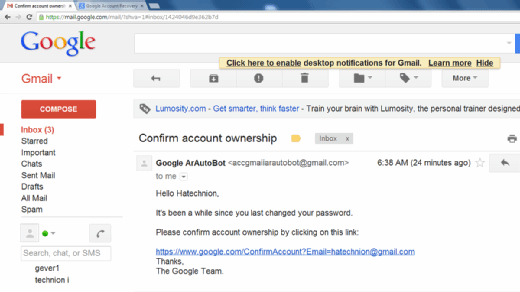
ActiveX controls are easy for users to install. All it takes is a few simple clicks, which can make them susceptible to a range of attacks. For example, an organization's users might be the target of a phishing campaign that directs them to a malicious website, where they're prompted to install an ActiveX control. If the phishing campaign is successful, the users will trust the site and install the control with little thought. The ActiveX control might then change passwords, access confidential data, install malware or carry out any number of other operations.
Microsoft has added security protections to safeguard against malicious ActiveX controls, but these were never enough to ensure total protection against possible risks. Even Microsoft states that ActiveX controls "can sometimes malfunction or give you content that you don't want. In some cases, these apps might be used to collect info from your PC, damage info on your PC, install software on your PC without your agreement or let someone else control your PC remotely."
Despite these warnings, ActiveX controls are still in use, and hackers continue to take advantage of their vulnerabilities. As recently as September 2021, Microsoft released a security patch to address a remote code execution vulnerability. An attacker could create a specially crafted Microsoft Office document that hosts the browser rendering engine. When a user opened the document, it launched a malicious ActiveX control, which could then gain access to the underlying system.
Although ActiveX controls continue to be supported, Microsoft considers them a legacy technology. Most of today's browsers either no longer support ActiveX controls or disable them by default. In all likelihood, support for ActiveX controls will eventually disappear.
Learn more about how popular web browsers compare, including Chrome, Firefox, IE and Edge.